


View Other Content
Categories See All →
Search Articles
Recent Articles
Recent Comments
-
 Tropical Environment test
3199E5kennetharry - Dec 19 2014 07:15 PM
-
Tropical Environment test
3199E5kennetharry - Dec 19 2014 07:13 PM
-
Anatomy of a practice area
3199E5kennetharry - Dec 19 2014 07:11 PM
-
Some virtual camera fun
3199E5kennetharry - Dec 19 2014 07:08 PM
-
 Fly By Creation Tool
perfparwigit - Sep 16 2014 04:17 AM
-
Our characters first steps
3199E5kennetharry - Aug 27 2014 12:23 PM
 0
0

The Three Click Bunker
Dec 06 2012 11:53 AM |
Guest
in Course Forge
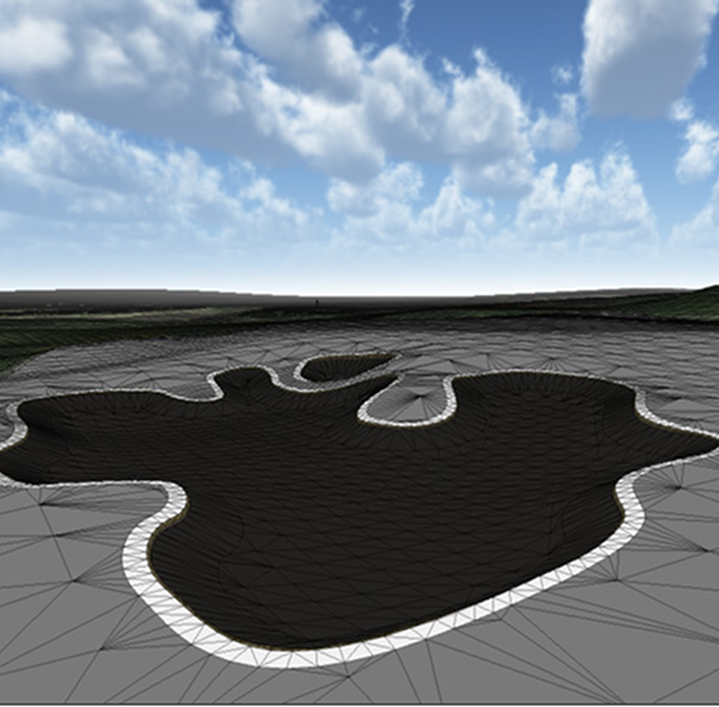 So we keep telling you how easy our tools will be to use, but talk is cheap! Here's a quick preview of what it takes to actually make a finished sand bunker (final versions will be more polished and better looking!)
First of all you use a simplified version of Unity's Terrain sculpting tools to mould the terrain, it's like a paintbrush but you're painting hills, slopes and valleys instead. If you can use any computer paint program such as MS Paint you can use this!

Once you're happy with your bunker elevations you can now draw the more detailed bunker outline in our shape drawing tool. Make sure 'bunker' is ticked.

Click 'Create bunker' - This creates your detailed bunker mesh automatically.

Click 'Finish' - This adds the textures and dirt lip automatically. Of course if you want more control you can easily change the textures and the type of bunker edge ie grass, dirt etc for a different look.

That's it!
With lots of automation like this which takes the hard work out of building your course, you can spend more time designing it and less time building it. Share it with the Online community and have it played and rated by other players. If we like it, we'll use it for one of our real time tournaments and you'll get rewarded with special 'in game' items only available to course builders.
These tools are for you. Go on..... be creative!





33 Comments